

Conversions API: Overview
Parameters
Send Requests
To send new events, make aPOST request to this API’s /events edge from this path: https://graph.facebook.com/{API_VERSION}/{PIXEL_ID}/events?access_token={TOKEN}. When you post to this edge, Facebook creates new server events.
cURLNode.js SDKPHP SDKPython SDKJava SDKRuby SDK
access_token query parameter to the request. You can also use Graph API Explorer to POST to the /<pixel_id>/events endpoint.
An example request body looks like this:
Upload Time versus Event Transaction Time
event_time is the event transaction time. It should be sent as a Unix timestamp in seconds indicating when the actual event occurred. The specified time may be earlier than the time you send the event to Facebook. This is to enable batch processing and server performance optimization.
The event_time can be up to 7 days before you send an event to Meta. If any event_time in data is greater than 7 days in the past, we return an error for the entire request and process no events. For offline and physical store events with physical_store as action_source, you should upload transactions within 62 days of the conversion.
By using the Conversions API, you agree that the
action_source parameter is accurate to the best of your knowledge.Batch Requests
You can send up to 1,000 events indata. However, for optimal performance, we recommend you send events as soon as they occur and ideally within an hour of the event occurring. If any event you send in a batch is invalid, we reject the entire batch.
Hashing
Please check our customer information parameters page to see which parameters should be hashed before they are sent to Facebook. If you are using one of our Business SDKs, the hashing is done for you by the SDK.Business SDK Features for Conversions API
Learn more about three specific Business SDK features designed especially for Conversions API users: Asynchronous Requests, Concurrent Batching, and HTTP Service Interface. Minimum language version required to use these features:- PHP >= 7.2
- Node.js >= 7.6.0
- Java >= 8
- Python >= 2.7
- Ruby >= 2
Business SDK support for PHP 5 has been deprecated since January 2019. Please upgrade to PHP 7 to use the Business SDK.If you must use PHP 5, consider using our Swagger implementation.
Conversions API Parameters
Verify Events
After you send your events, confirm that we have received them in Events Manager:- On the Data Sources page, click on the Pixel corresponding to the
PIXEL_IDin yourPOSTrequest. For more information see Business Help Center: Navigate Events Manager. - Then, click Overview. You see the number of raw, matched and attributed events we received. Under Connection Method, you see the channel in which that event was sent.
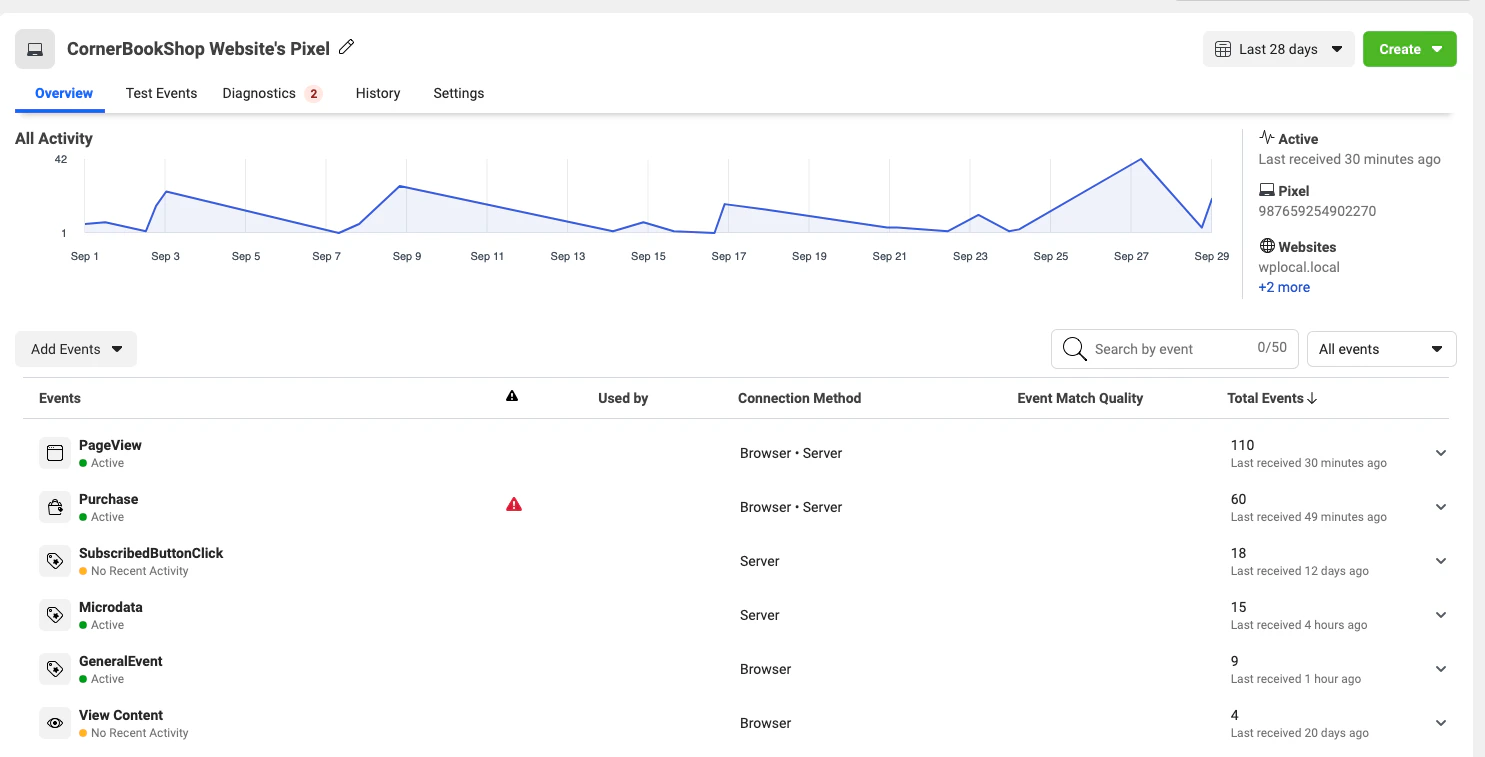
- You can click on each event to get more specific information.
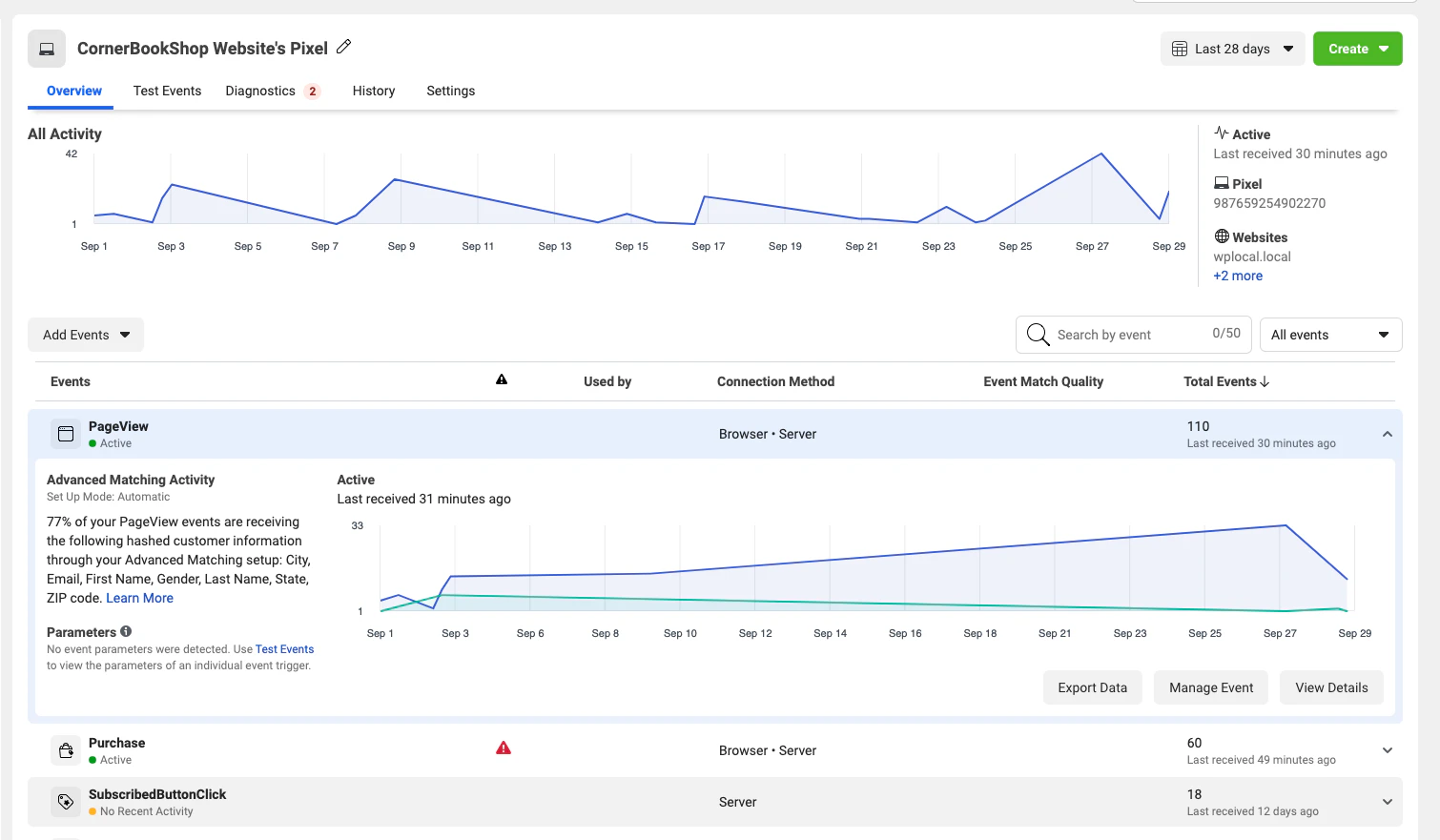
- After you start sending events, you should be able to verify them within 20 minutes. Now you can start sending events from your server.
Test Events Tool
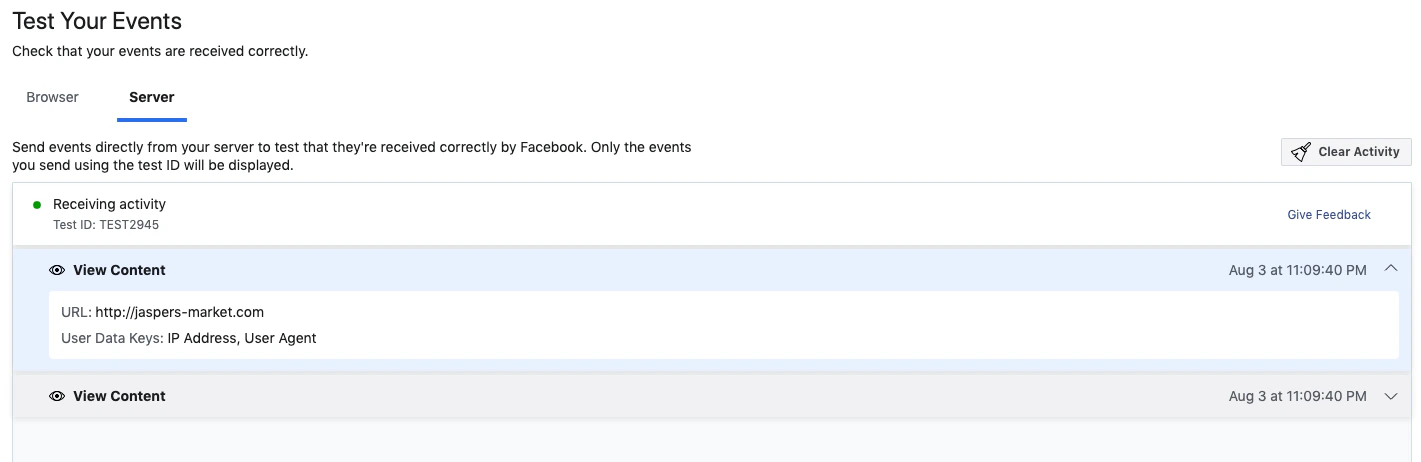
You can verify that your server events are received correctly by Facebook by using the Test Events feature in Events Manager. To find the tool, go toEvents Manager > Data Sources > Your Pixel > Test Events.
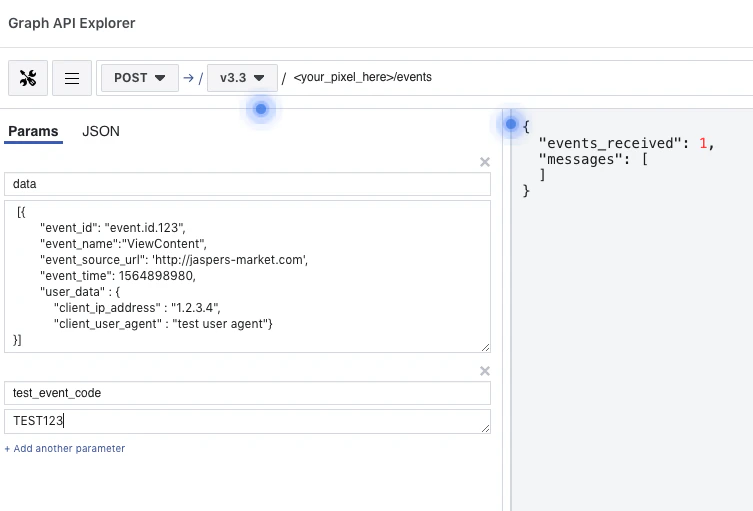
The Test Events tool generates a test ID. Send the test ID as a test_event_code parameter to start seeing event activity appear in the Test Events window.
Note: The
test_event_code field should be used only for testing. You need to remove it when sending your production payload.Events sent with test_event_code are not dropped. They flow into Events Manager and are used for targeting and ads measurement purposes.You can generate this test payload using the Payload Helper tool. Please note that the test event code is only for testing payload.
Data Processing Options for US Users
For these two APIs, implement data processing options by addingdata_processing_options, data_processing_options_country, and data_processing_options_state inside each event within the data parameter of your events.
Note: The App Events and Offline Conversions APIs are no longer recommended for new integrations. Instead, it is recommended that you use the Conversions API as it now supports web, app, and offline events. See Conversions API for App Events and Conversions API for Offline Events for more information.
Manual Upload UI
The Offline Conversions API offers the option to manually upload your events from a.csv file. In this case, add Data Processing Options, Data Processing Country, and Data Processing State as columns inside your file. More information about this can be found in the upload user interface.
Learn more about Data Processing Options.
API Limits
The Marketing API has its own rate-limiting logic and is excluded from all the Graph API rate limitations. So if you make a Marketing API call, it won’t be calculated into the Graph API throttling. There is no specific rate limit for the Conversions API. Conversions API calls are counted as Marketing API calls. The only limitation is that you can send us up to 1,000 events at a time. See Send Requests for more information.Marketing API Rate Limiting
Business SDK API Usage in the Conversions API Gateway
This guide helps you navigate Meta Business SDK advanced features designed especially for Conversions API Gateway users. For basic Conversions API Gateway usage, refer to the Conversions API Gateway documentation.Send Events to Your Conversions API Gateway Instance
Requirements
Before using any of the features listed below, you need to have the Meta Business SDK installed. See Get Started with the Meta Business SDK or follow the README instructions listed here:- PHP: facebook-php-business-sdk
- Node.js: facebook-nodejs-business-sdk
- Java: facebook-java-business-sdk
- Python: facebook-python-business-sdk
- Ruby: facebook-ruby-business-sdk
Currently, these features are only available on the PHP and Java business SDK. The other languages will be implemented by the end of 2023.
Note: To dedupe events to the Conversions API endpoint, please pass the
eventId in your request. This will help prevent duplicate events from showing up if Conversions API publishing is enabled.