

We are making changes to the WhatsApp Business Platform pricing model. See Pricing Updates on the WhatsApp Business Platform.
Starting April 1, 2025, we are temporarily pausing delivery of marketing template messages to WhatsApp users who have a United States phone number. See Per-User Marketing Template Message Limits for additional information.
Message Types
You can use the API to send the following types of messages.| Address messages allow you to easily request a delivery address from WhatsApp users. |  |
| Audio messages display an audio icon and a link to an audio file. When the WhatsApp user taps the icon, the WhatsApp client loads and plays the audio file. |  |
| Contacts messages allow you to send rich contact information directly to WhatsApp users, such as names, phone numbers, physical addresses, and email addresses. |  |
| Document messages display a document icon, linked to a document that a WhatsApp user can tap to download. |  |
| Image messages display a single image and an optional caption. |  |
| Interactive CTA URL button messages allow you to map any URL to a button, so you don’t have to include lengthy or obscure raw URLs in the message body. |  |
| Interactive Flow messages allow you to send structured messages that are more natural or comfortable for your customers. For example, you can use WhatsApp Flows to book appointments, browse products, collect customer feedback, get new sales leads, or anything else. |  |
| Interactive list messages allow you to present WhatsApp users with a list of options to choose from. |  |
| Interactive location request messages display body text and a send location button. When a WhatsApp user taps the button, a location sharing screen appears which the user can use to share their location. |  |
| Interactive reply buttons messages allow you to send up to three predefined replies for users to choose from. |  |
| Location messages allow you to send a location’s latitude and longitude coordinates to a WhatsApp user. |  |
| Sticker messages display animated or static sticker images in a WhatsApp message. |  |
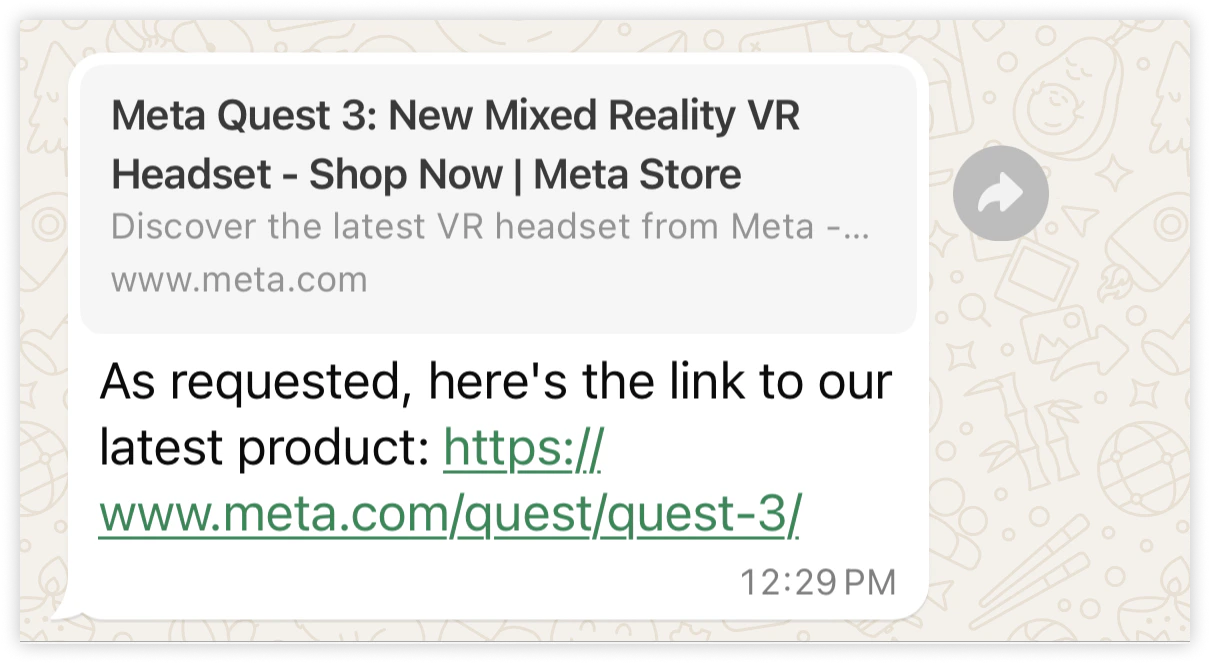
| Text messages are messages containing only a text body and an optional link preview. |  |
| Template messages allow you to send marketing, utility, and authentication templates to WhatsApp users. Unlike all other message types, template messages do not require a 24-hour customer service window to be open between you and the message recipient before the message can be sent. |  |
| Video messages display a thumbnail preview of a video image with an optional caption. When the WhatsApp user taps the preview, it loads the video and displays it to the user. |  |
| Reaction messages are emoji-reactions that you can apply to a previous WhatsApp user message that you have received. |  |
Customer Service Windows
Whenever a WhatsApp user messages you, a 24-hour timer called a customer service window starts (or refreshes if one has already been started). When a customer service window is open between you and a user, you can send any type of message to the user. If a window is not open between you and the user, you can only send template messages to the user, as template messages are the only type that can be sent outside of a customer service window. As a reminder, you can only send messages to users who have opted-in to receiving messages from you.Requests
All send message requests use the POST /<WHATSAPP_BUSINESS_PHONE_NUMBER_ID/messages endpoint:type property value in the post body payload indicates the type of message to send, and a property matching that type must be included that describes the message’s contents.
For example, this is a request to send a text message to a WhatsApp user. Note that type is set to text, and a text object follows, which describes the message’s contents:
Responses
The API will return the following JSON response if it successfully accepts your send message request without encountering any errors in the request itself. Note that this response only indicates that the API successfully accepted your request, it does not indicate successful delivery of your message. Message delivery status is communicated via messages webhooks instead.Response Syntax
Response Contents
Webhooks
Messages sent to WhatsApp users trigger messages webhooks, so be sure to subscribe to this topic to receive message status notifications.Commerce Messages
Commerce messages are interactive messages used in conjunction with a product catalog. See Share Products With Customers to see how to use these types of messages.Contextual Replies
Contextual replies are a special way of responding to a WhatsApp user message. Sending a message as a contextual reply makes it clearer to the user which message you are replying to by quoting the previous message in a contextual bubble: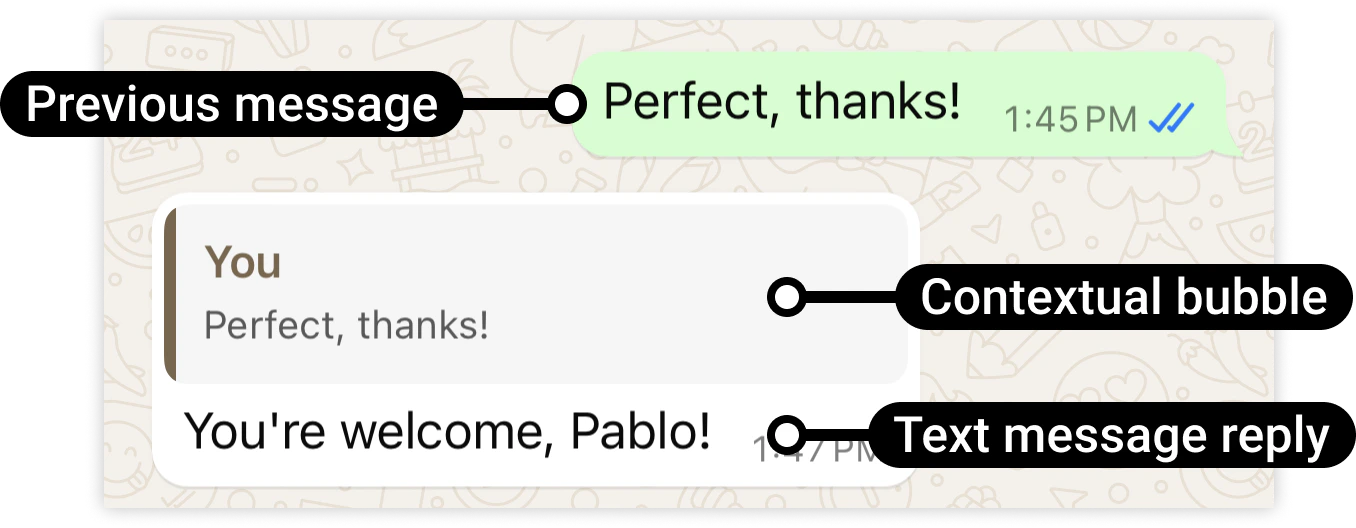
Limitations
The contextual bubble will not appear at the top of the delivered message if:- The previous message has been deleted or moved to long term storage (messages are typically moved to long term storage after 30 days, unless you have enabled local storage).
- You reply with an audio, image, or video message and the WhatsApp user is running KaiOS.
- You use the WhatsApp client to reply with a push-to-talk message and the WhatsApp user is running KaiOS.
- You reply with a template message.
Request Syntax
Post Body
Post Body Parameters
Example Request
Example of a text message sent as a reply to a previous message.WhatsApp User Phone Number Formats
Plus signs (+), hyphens (-), parenthesis ((,)), and spaces are supported in send message requests.
We highly recommend that you include both the plus sign and country calling code when sending a message to a customer. If the plus sign is omitted, your business phone number’s country calling code is prepended to the customer’s phone number. This can result in undelivered or misdelivered messages.
For example, if your business is in India (country calling code 91) and you send a message to the following customer phone number in various formats:
Media Caching
If you are using a link (link) to a media asset on your server (as opposed to the ID (id) of an asset you have uploaded to our servers), WhatsApp Cloud API internally caches the asset for a static time period of 10 minutes. We will use the cached asset in subsequent send message requests if the link in subsequent message send payloads is the same as the link in the initial message send payload.
If you don’t want us to reuse the cached asset in a subsequent message within the 10 minute time period, append a random query string to the asset link in the new send message request payload. We will treat this as a new asset, fetch it from your server, and cache it for 10 minutes.
For example:
- Asset link in 1st send message request:
https://link.to.media/sample.jpg— asset fetched, cached for 10 minutes - Asset link in 2d send message request:
https://link.to.media/sample.jpg- use cached asset - Asset link in 3rd send message request:
https://link.to.media/sample.jpg?abc123- asset fetched, cached for 10 minutes
Delivery Sequence of Multiple Messages
When sending a series of messages, the order in which messages are delivered is not guaranteed to match the order of your API requests. If you need to ensure the sequence of message delivery, confirm receipt of adelivered status in a messages webhook before sending the next message in your message sequence.
Message Time-To-Live (TTL)
If we are unable to deliver a message to a WhatsApp user, we will retry the delivery for a period of time known as a time-to-live, TTL, or the message validity period.Default TTL
- All messages except authentication templates: 30 days.
- Authentication templates: 10 minutes