> ## Documentation Index
> Fetch the complete documentation index at: https://meta-preview.mintlify.site/llms.txt
> Use this file to discover all available pages before exploring further.

# Desarrollando para Mensajería Empresarial

> Mensajería Empresarial es un conjunto de herramientas en Messenger, Instagram y WhatsApp para comunicarte con los clientes, de modo que puedas construir relaciones más profundas con tus audiencias y ayudar a impulsar el crecimiento a lo largo del recorrido del cliente.

export const Section = ({children, title}) => <div className="max-w-8xl mx-auto px-4 lg:px-12">
    {title && <h2 className="text-3xl font-semibold text-gray-900 dark:text-gray-100 mb-8">{title}</h2>}
    <div className="mt-6 mb-16">
      {children}
    </div>
  </div>;

export const ResourceCard = ({title, resources}) => <div className="bg-gray-50 dark:bg-gray-800 rounded-2xl p-6">
    <span className="block text-lg font-semibold text-gray-800 dark:text-gray-100 mb-4">{title}</span>
    <ul className="list-disc list-inside space-y-1">
      {resources.map(resource => <li key={resource.title}>
          <a href={resource.url} className="text-primary dark:text-white hover:!text-blue-600">{resource.title}</a>
        </li>)}
    </ul>
  </div>;

export const Newsletter = ({lang}) => <div className="bg-gray-800 dark:bg-gray-800 rounded-3xl px-10 py-8 flex items-center justify-between flex-wrap gap-6">
    <div className="flex-1">
      <div className="text-white text-lg font-medium mb-1">
      {lang === "es" ? "Mantente informado" : "Be in the know"}  
      </div>
      <div className="text-sm text-gray-300">
        {lang === "es" ? "Mantente al día con los nuevos lanzamientos gracias al boletín mensual para desarrolladores." : "Stay up to date on new releases with the monthly developer newsletter."} 
      </div>
    </div>
    <form className="flex-1 flex items-center gap-8 w-full">
      <input type="email" placeholder={lang === "es" ? "Tu dirección de correo electrónico" : "Your email address"} className="bg-transparent border-b border-gray-400 text-white placeholder-gray-400 px-2 py-1 outline-none flex-1" />
      <button type="submit" className="bg-white text-[#1A2B2D] font-semibold rounded-full px-5 py-1.5 text-sm shadow-sm hover:bg-gray-100 transition">
        {lang === "es" ? "Enviar" : "Submit"} 
      </button>
    </form>
  </div>;

export const Partners = ({lang}) => <div className="flex items-center">
    <img src="https://mintlify-assets.b-cdn.net/meta//blank.png" className="noZoom block dark:hidden w-80 rounded-3xl" />
    <img src="https://mintlify-assets.b-cdn.net/meta//blank-dark.png" className="noZoom hidden dark:block w-80 rounded-3xl" />
    <div className="ml-12">
      <span className="text-xl text-gray-700 dark:text-gray-300 font-semibold">
        {lang === "es" ? "¿No eres desarrollador?" : "Not a developer?"}
        
      </span>
      <p className="text-gray-700 dark:text-gray-300 mt-2">
        {lang === "es" ? "Consulta la vitrina de socios para encontrar un socio adaptado a las necesidades de tu negocio." : "View the Partner Showcase to find a partner tailored to fit your business needs."}
        
      </p>
      <button className="
          mt-8 
          rounded-full 
          border border-gray-300 dark:border-gray-700 
          px-5 py-2 
          font-semibold 
          text-gray-700 dark:text-gray-300
          hover:bg-gray-100 dark:hover:bg-gray-800
          hover:border-gray-400 dark:hover:border-gray-600
          transition
        ">
        {lang === "es" ? "Encontrar un socio" : "Find a partner"}
        
      </button>
    </div>
  </div>;

export const DeveloperTools = ({lang = "en", downloadLink = '/sdk/download'}) => {
  if (lang === "es") {
    return <section>
        <div className="mx-auto max-w-8xl px-4">
          <div className="bg-gray-800 rounded-3xl overflow-hidden flex flex-col md:flex-row gap-0">
            <div className="w-full md:w-1/2">
              <img src="https://mintlify.s3.us-west-1.amazonaws.com/meta-preview/images/home/vscode.jpg" alt="Placeholder" className="noZoom block dark:hidden w-full h-full object-cover rounded-l-lg" />
              <img src="https://mintlify.s3.us-west-1.amazonaws.com/meta-preview/images/home/vscode.jpg" alt="Placeholder dark" className="noZoom hidden dark:block w-full h-full object-cover rounded-l-lg" />
            </div>
            <div className="w-full md:w-1/2 p-8 flex flex-col justify-center">
              <span className="uppercase text-sm font-semibold text-gray-200">
                Herramientas para desarrolladores
              </span>
              <h3 className="text-2xl md:text-3xl font-bold text-white mt-2 mb-4">
                Comienza con el SDK
              </h3>
              <p className="text-gray-200 mb-6 leading-relaxed">
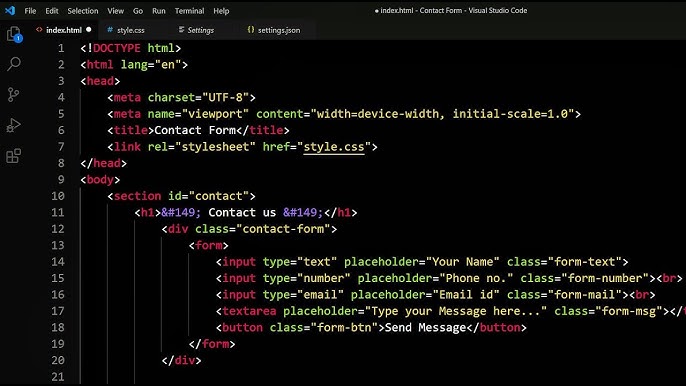
                Acelera tu desarrollo con el Kit de Desarrollo de Software de la API en la nube de WhatsApp.
              </p>
              <a href={downloadLink} className="self-start inline-block bg-white text-blue-800 font-semibold py-2 px-6 rounded-full hover:bg-gray-200 dark:hover:bg-gray-300 transition">
                Descargar
              </a>
            </div>
          </div>
        </div>
      </section>;
  } else {
    return <section className="pt-20">
        <div className="mx-auto max-w-8xl px-4">
          <div className="bg-gray-800 rounded-3xl overflow-hidden flex flex-col md:flex-row gap-0">
            <div className="w-full md:w-1/2">
              <img src="https://mintlify.s3.us-west-1.amazonaws.com/meta-preview/images/home/vscode.jpg" alt="Placeholder" className="noZoom block dark:hidden w-full h-full object-cover rounded-l-lg" />
              <img src="https://mintlify.s3.us-west-1.amazonaws.com/meta-preview/images/home/vscode.jpg" alt="Placeholder dark" className="noZoom hidden dark:block w-full h-full object-cover rounded-l-lg" />
            </div>
            <div className="w-full md:w-1/2 p-8 flex flex-col justify-center">
              <span className="uppercase text-sm font-semibold text-gray-200">
                Developer Tools
              </span>
              <h3 className="text-2xl md:text-3xl font-bold text-white mt-2 mb-4">
                Get started with the SDK
              </h3>
              <p className="text-gray-200 mb-6 leading-relaxed">
                Streamline your development with the WhatsApp Cloud API Software Development Kit.
              </p>
              <a href={downloadLink} className="self-start inline-block bg-white text-blue-800 font-semibold py-2 px-6 rounded-full hover:bg-gray-200 dark:hover:bg-gray-300 transition">
                Download
              </a>
            </div>
          </div>
        </div>
      </section>;
  }
};

export const WaysToUse = ({lang}) => {
  const items = [{
    title: 'Send utility messages',
    href: '/docs/utility-messages'
  }, {
    title: 'Send authentication messages',
    href: '/docs/authentication-messages'
  }, {
    title: 'Collect payments',
    href: '/docs/collect-payments'
  }, {
    title: 'Send marketing messages',
    href: '/docs/marketing-messages'
  }, {
    title: 'Create ads that click to WhatsApp',
    href: '/docs/click-to-whatsapp-ads'
  }, {
    title: 'Track conversion events',
    href: '/docs/track-conversion-events'
  }, {
    title: 'Sell from your catalog',
    href: '/docs/sell-from-catalog'
  }, {
    title: 'Create WhatsApp Flows',
    href: '/docs/whatsapp-flows'
  }];
  const itemsEs = [{
    title: 'Enviar mensajes de utilidad',
    href: '/docs/utility-messages'
  }, {
    title: 'Enviar mensajes de autenticación',
    href: '/docs/authentication-messages'
  }, {
    title: 'Cobrar pagos',
    href: '/docs/collect-payments'
  }, {
    title: 'Enviar mensajes de marketing',
    href: '/docs/marketing-messages'
  }, {
    title: 'Crear anuncios clic para WhatsApp',
    href: '/docs/click-to-whatsapp-ads'
  }, {
    title: 'Rastrear eventos de conversión',
    href: '/docs/track-conversion-events'
  }, {
    title: 'Vender desde tu catálogo',
    href: '/docs/sell-from-catalog'
  }, {
    title: 'Crear flujos de WhatsApp',
    href: '/docs/whatsapp-flows'
  }];
  const renderItems = lang === "es" ? itemsEs : items;
  return <div className="grid grid-cols-1 sm:grid-cols-2 md:grid-cols-3 gap-6">
      {renderItems.map(item => <a key={item.title} href={item.href} className="bg-gray-50 dark:bg-gray-800 p-6 rounded-2xl flex items-center group">
          <span className="p-2 bg-white dark:bg-gray-900 rounded-full border border-gray-200 dark:border-gray-700 group-hover:bg-blue-50 dark:group-hover:bg-gray-700 transition">
            <svg xmlns="http://www.w3.org/2000/svg" className="w-4 h-4 text-blue-600 dark:text-blue-400" fill="none" viewBox="0 0 24 24" stroke="currentColor">
              <path strokeLinecap="round" strokeLinejoin="round" strokeWidth="2" d="M9 5l7 7-7 7" />
            </svg>
          </span>
          <span className="ml-4 text-gray-900 dark:text-gray-100 font-medium group-hover:text-blue-600">
            {item.title}
          </span>
        </a>)}
    </div>;
};

export const HowItWorks = ({imageSrc = 'https://mintlify.s3.us-west-1.amazonaws.com/meta-preview/images/home/how-it-works.png', altText = 'See how it works example'}) => <img src={imageSrc} alt={altText} className="noZoom w-full object-cover rounded-2xl" />;

export const DocumentationContents = ({lang}) => {
  const mostPopular = [{
    title: 'Getting started',
    description: 'Learn how to get set up on the WhatsApp Cloud API and start sending messages at scale.',
    href: '/docs/whatsapp/cloud-api/overview',
    es: {
      title: 'Primeros pasos',
      description: 'Aprende a configurarte en la API en la nube de WhatsApp y comienza a enviar mensajes a gran escala.',
      href: '/docs/whatsapp/cloud-api/overview'
    }
  }, {
    title: 'Creating an app',
    description: 'Learn about the requirements and options for the name displayed in your messages.',
    href: '/docs/creating-an-app'
  }, {
    title: 'Display names',
    description: 'Learn about the requirements and options for the name displayed in your messages.',
    href: '/docs/display-names'
  }];
  const mostPopularES = [{
    title: 'Primeros pasos',
    description: 'Aprende a configurarte en la API en la nube de WhatsApp y comienza a enviar mensajes a gran escala.',
    href: '/docs/getting-started'
  }, {
    title: 'Creación de una aplicación',
    description: 'Descubre los requisitos y las opciones para el nombre que se mostrará en tus mensajes.',
    href: '/docs/creating-an-app'
  }, {
    title: 'Nombres para mostrar',
    description: 'Conoce los requisitos y las opciones para el nombre que aparece en tus mensajes.',
    href: '/docs/display-names'
  }];
  const recentlyViewed = [{
    title: 'API reference',
    description: 'Browse all REST endpoints, parameters, and response schemas.',
    href: '/docs/api-reference'
  }, {
    title: 'Webhooks',
    description: 'Configure webhooks to receive real-time event notifications.',
    href: '/docs/webhooks'
  }, {
    title: 'Templates',
    description: 'Understand message template types and how to use them effectively.',
    href: '/docs/templates'
  }];
  const recentlyViewedES = [{
    title: 'Referencia de la API',
    description: 'Consulta todos los endpoints REST, parámetros y esquemas de respuesta.',
    href: '/docs/api-reference'
  }, {
    title: 'Webhooks',
    description: 'Configura webhooks para recibir notificaciones de eventos en tiempo real.',
    href: '/docs/webhooks'
  }, {
    title: 'Plantillas',
    description: 'Comprende los tipos de plantillas de mensajes y cómo usarlas eficazmente.',
    href: '/docs/templates'
  }];
  const suggested = [{
    title: 'Send utility messages',
    description: 'Walk through sending transactional notifications at scale.',
    href: '/docs/utility-messages'
  }, {
    title: 'Send marketing messages',
    description: 'Guide to crafting engaging promotional messaging flows.',
    href: '/docs/marketing-messages'
  }, {
    title: 'Create WhatsApp flows',
    description: 'Learn how to automate conversations with WhatsApp Flows.',
    href: '/docs/whatsapp-flows'
  }];
  const suggestedES = [{
    title: 'Enviar mensajes de utilidad',
    description: 'Guía para enviar notificaciones transaccionales a gran escala.',
    href: '/docs/utility-messages'
  }, {
    title: 'Enviar mensajes de marketing',
    description: 'Guía para crear flujos de mensajes promocionales atractivos.',
    href: '/docs/marketing-messages'
  }, {
    title: 'Crear flujos de WhatsApp',
    description: 'Aprende a automatizar conversaciones con WhatsApp Flows.',
    href: '/docs/whatsapp-flows'
  }];
  const renderCards = items => <div className="grid grid-cols-1 md:grid-cols-3 gap-6">
      {items.map(item => <div key={item.title} className="bg-gray-50 dark:bg-gray-800 p-6 rounded-2xl">
          <h4 className="text-lg font-semibold text-gray-900 dark:text-gray-100 mb-2 mt-2">{item.title}</h4>
          <p className="text-gray-700 dark:text-gray-300 mb-4">{item.description}</p>
          <a href={item.href} className="inline-flex items-center group no-underline border-none">
            <span className="p-2 bg-white dark:bg-gray-900 rounded-full border border-gray-200 dark:border-gray-700 group-hover:bg-blue-50 dark:group-hover:bg-gray-700 transition">
              <svg xmlns="http://www.w3.org/2000/svg" className="w-4 h-4 text-blue-600 dark:text-blue-400" fill="none" viewBox="0 0 24 24" stroke="currentColor">
                <path strokeLinecap="round" strokeLinejoin="round" strokeWidth="2" d="M9 5l7 7-7 7" />
              </svg>
            </span>
            <span className="ml-2 text-blue-600 dark:text-blue-400 font-medium group-hover:font-bold">
              {lang === "es" ? "Aprende más" : "Learn more"}
            </span>
          </a>
        </div>)}
    </div>;
  if (lang === "es") {
    return <div className="home_docs_section">
      <Tabs>
        <Tab title="Más populares">{renderCards(mostPopularES)}</Tab>
        <Tab title="Vistos recientemente">
          {recentlyViewed.length ? renderCards(recentlyViewedES) : <p className="text-gray-700 dark:text-gray-300">No recently viewed pages.</p>}
        </Tab>
        <Tab title="Sugeridos">
          {suggested.length ? renderCards(suggestedES) : <p className="text-gray-700 dark:text-gray-300">No suggestions yet.</p>}
        </Tab>
      </Tabs>
    </div>;
  }
  return <div className="home_docs_section">
      <Tabs>
        <Tab title="Most Popular">{renderCards(mostPopular)}</Tab>
        <Tab title="Recently viewed">
          {recentlyViewed.length ? renderCards(recentlyViewed) : <p className="text-gray-700 dark:text-gray-300">No recently viewed pages.</p>}
        </Tab>
        <Tab title="Suggested">
          {suggested.length ? renderCards(suggested) : <p className="text-gray-700 dark:text-gray-300">No suggestions yet.</p>}
        </Tab>
      </Tabs>
    </div>;
};

export const TryItOut = ({lang}) => <div className="bg-gray-50 dark:bg-gray-800 rounded-2xl flex flex-col md:flex-row overflow-hidden">
    <div className="p-8 md:w-1/2">
      <h3 className="text-xl font-semibold mb-4 text-gray-900 dark:text-gray-100">
        {lang === "es" ? "Envía un mensaje de prueba a tu teléfono" : "Send a test message to your phone"}
        
      </h3>
      <p className="mb-6 leading-relaxed text-gray-700 dark:text-gray-300">
        {lang === "es" ? <>Escanea el código QR para recibir el mensaje de prueba <strong>Hello World</strong> en tu teléfono y chatear con el agente de incorporación de IA.</> : <>Scan the QR code to get the <strong>Hello World</strong> test message on your phone
        and chat with the AI onboarding agent.</>}
      </p>
      <img src="https://mintlify.s3.us-west-1.amazonaws.com/meta-preview/images/home/qrcode.svg" alt="QR code for Hello World" className="noZoom w-24 h-24" />
    </div>

    <div className="w-full md:w-1/2">
    <img src="https://mintlify.s3.us-west-1.amazonaws.com/meta-preview/images/home/code-placeholder.png" className="noZoom block dark:hidden w-80 rounded-r-lg w-full h-[280px] object-cover" />
    <img src="https://mintlify.s3.us-west-1.amazonaws.com/meta-preview/images/home/code-placeholder.png" className="noZoom hidden dark:block w-80 rounded-r-lg w-full h-[280px] object-cover" />
    </div>
  </div>;

export const HeroHeader = ({lang}) => {
  return <section className="bg-hero text-gray-900 dark:text-gray-100 mb-12">
      <div className="max-w-8xl mx-auto px-4 lg:px-12 ">
      <div className="text-sm text-gray-600 dark:text-gray-300 pt-8 space-x-2">
        <span className="font-semibold">Docs</span>
        <svg className="inline-block size-2.5" xmlns="http://www.w3.org/2000/svg" viewBox="0 0 320 512">
          <path d="M305 239c9.4 9.4 9.4 24.6 0 33.9L113 465c-9.4 9.4-24.6 9.4-33.9 0s-9.4-24.6 0-33.9l175-175L79 81c-9.4-9.4-9.4-24.6 0-33.9s24.6-9.4 33.9 0L305 239z" fill="currentColor" />
        </svg>
        <span className="font-semibold">WhatsApp Business Platform</span>
      </div>
      <div className="mx-auto max-w-8xl flex flex-col lg:flex-row items-center py-20">
        <div className="lg:w-2/3 w-full mb-12 lg:mb-0">
          <h1 className="text-4xl lg:text-5xl font-bold mb-6">
          {lang === "es" ? "Plataforma empresarial de WhatsApp" : "WhatsApp Business Platform"}
          </h1>
          <p className="text-lg lg:text-xl mb-8 leading-relaxed text-gray-700 dark:text-gray-300">
            {lang === "es" ? "La Plataforma empresarial de WhatsApp brinda a medianas y grandes empresas la capacidad de conectarse con sus clientes a gran escala. Puedes iniciar conversaciones de WhatsApp con tus clientes en minutos, enviarles notificaciones de atención o actualizaciones de compra, ofrecer servicios personalizados y brindar soporte en el canal que prefieran." : "The WhatsApp Business Platform gives medium to large businesses the ability to connect with customers at scale. You can start WhatsApp conversations with your customers in minutes, send them care notifications or purchase updates, offer personalized services, and provide support in the channel that your customers prefer."}
          </p>
          <a href="/docs/marketing-api/conversions-api/get-started" className="inline-block bg-blue-600 hover:bg-blue-700 dark:bg-blue-500 dark:hover:bg-blue-600 text-white font-medium py-3 px-6 rounded-3xl transition">
            {lang === "es" ? "Comenzar →" : "Get started →"}
          </a>
        </div>
      </div>
      </div>
    </section>;
};

<HeroHeader lang="es" />

<Section title="Pruébalo">
  <TryItOut lang="es" />
</Section>

<Section title="Contenido de la documentación">
  <DocumentationContents lang="es" />
</Section>

<Section title="Ver cómo funciona">
  <HowItWorks lang="es" />
</Section>

<Section title="Formas de usar la API en la nube de WhatsApp">
  <WaysToUse lang="es" />

  <DeveloperTools lang="es" />
</Section>

<Section>
  <CardGroup cols={2}>
    <ResourceCard
      title="Para socios"
      resources={[
    {
      title: "Conviértete en Proveedor Tecnológico de WhatsApp",
      url: "https://www.facebook.com/business/m/whatsapp/business-solution-provider",
    },
    {
      title: "Registro de clientes mediante Signup Integrado",
      url: "https://developers.facebook.com/docs/whatsapp/embedded-signup/",
    },
    {
      title: "Centro de Recursos para Socios",
      url: "https://www.facebook.com/business/help/partner-center",
    },
    {
      title: "Soporte para Socios",
      url: "https://www.facebook.com/business/help/support",
    },
  ]}
    />

    <ResourceCard
      title="Recursos"
      resources={[
    { title: "Registro de cambios", url: "/changelog" },
    { title: "Soporte para desarrolladores", url: "/support" },
    { title: "Meta Blueprint", url: "https://www.metablueprint.com/" },
  ]}
    />
  </CardGroup>
</Section>

<Section>
  <Partners lang="es" />
</Section>

<Section>
  <Newsletter lang="es" />
</Section>

<div className="h-24" />