Check If Your Business Is a Good Fit
Before you begin working on the Conversion Leads integration, you should check if your business will be a good fit for the optimization model. Below are some guidelines that we look for in integrations.- Use Facebook/Instagram Lead Ads (Instant Forms)
- Ensure the 15-16 digit Meta Lead ID is mapped to your CRM
- Generate at least 200 leads per month
- Can upload data regularly at least once per day
- The lead stage you want to optimize for occurs within 28 days of leads being generated
- The lead stage you want to optimize for has a conversion rate between 1% - 40%.
Plan Your Project Timeline
If you believe your business is a good fit for the optimization, you may use this estimated timeline to plan the project. Estimated time to value for the project is 3 months based on historical data. However, the actual timeline can vary as some advertisers can finish the integration in about one month or delays can push this project to several months. The timeline is contingent on available resources to make decisions and address problems with the integration.| Section | Description | Task Owner | Est. Time Duration |
|---|---|---|---|
| 1: Connecting Your CRM With Lead Ads | Automatically download leads from Facebook | Advertiser | Prerequisite |
| 2: Getting Started With the CRM Integration | Create or choose a Meta Pixel for CRM events | Advertiser | 0.25 hrs |
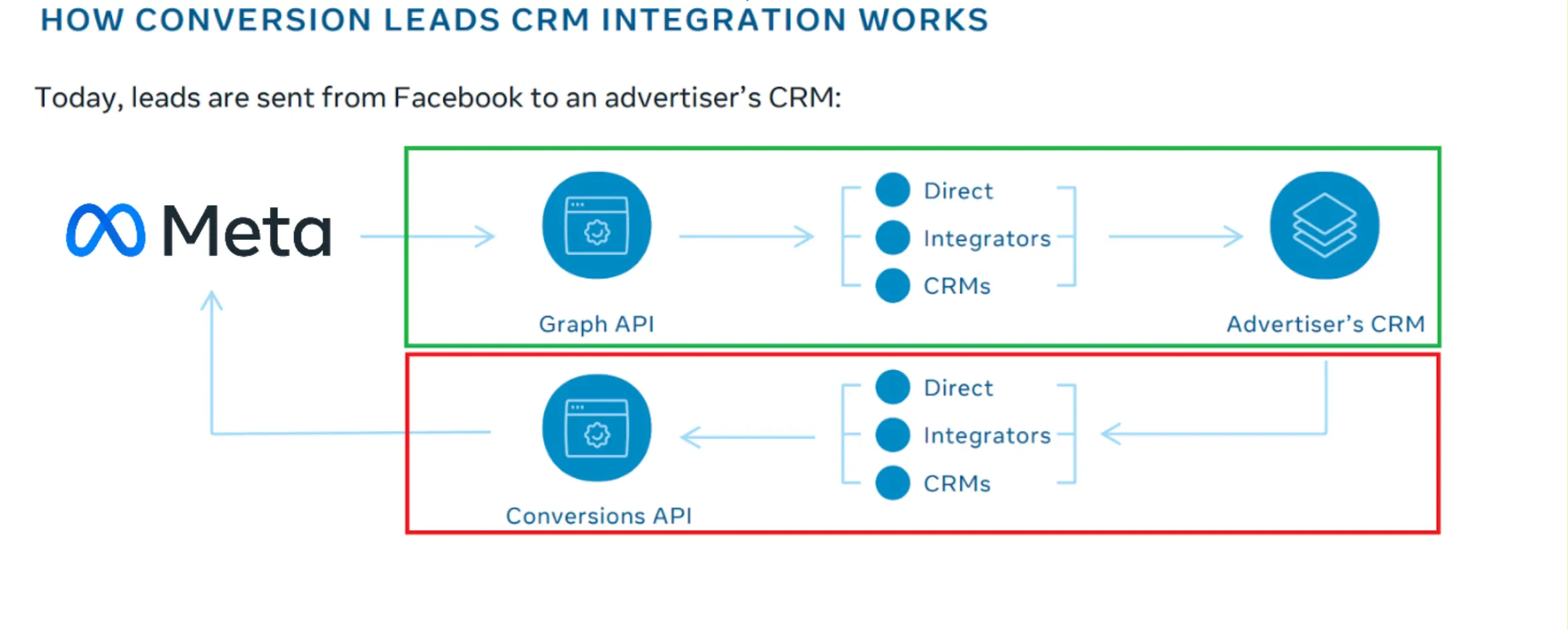
| 3: Implementing the CRM Integration | Connect your CRM via the Conversions API | Advertiser | 3-4 weeks* |
| 4: Verify your data | Wait for data validation | Meta | 1 week |
| 5: Configure Your Sales Funnel | Configure sales funnel events within your CRM | Advertiser | 0.5 hrs |
| 6: Follow-up Steps | Wait for funnel analysis and training period** | Meta | 1-2 months |
| — | Run fully optimized Conversions Lead Ads campaigns | Advertiser | |
| Total time to value | ~3 months |
** You may run Conversions Lead Ads campaigns during the training period, but will not benefit from the full performance lift until it is complete.
Roles and Responsibilities
Outlined below are the roles that will need to be involved in the project. Note that some roles may be consolidated or separated depending on your organization.| Role | Responsibilities |
|---|---|
| Marketing and Sales Team | - Initiate the project and identify required personnel for integration. - Define the marketing and sales funnel with in-depth process knowledge. - Have necessary permissions to perform tasks in Meta’s Ads Manager and Events Manager. - Build the integration between your CRM and Meta when using a partner integration, such as Zapier. |
| CRM Admin | - Understand the CRM’s fields and capabilities in detail. - Create new custom fields and flows within the CRM if required. - Provide support to marketers and developers throughout the integration process. |
| Developer | - Build the integration between your CRM and Meta if opting for a manual integration. - Ensure the manual integration functions correctly and troubleshoot any issues. |